

Making YouTube Thumbnails With AI Images: What Works and What Still Needs You
By The Fellowi Team · · 6 min read
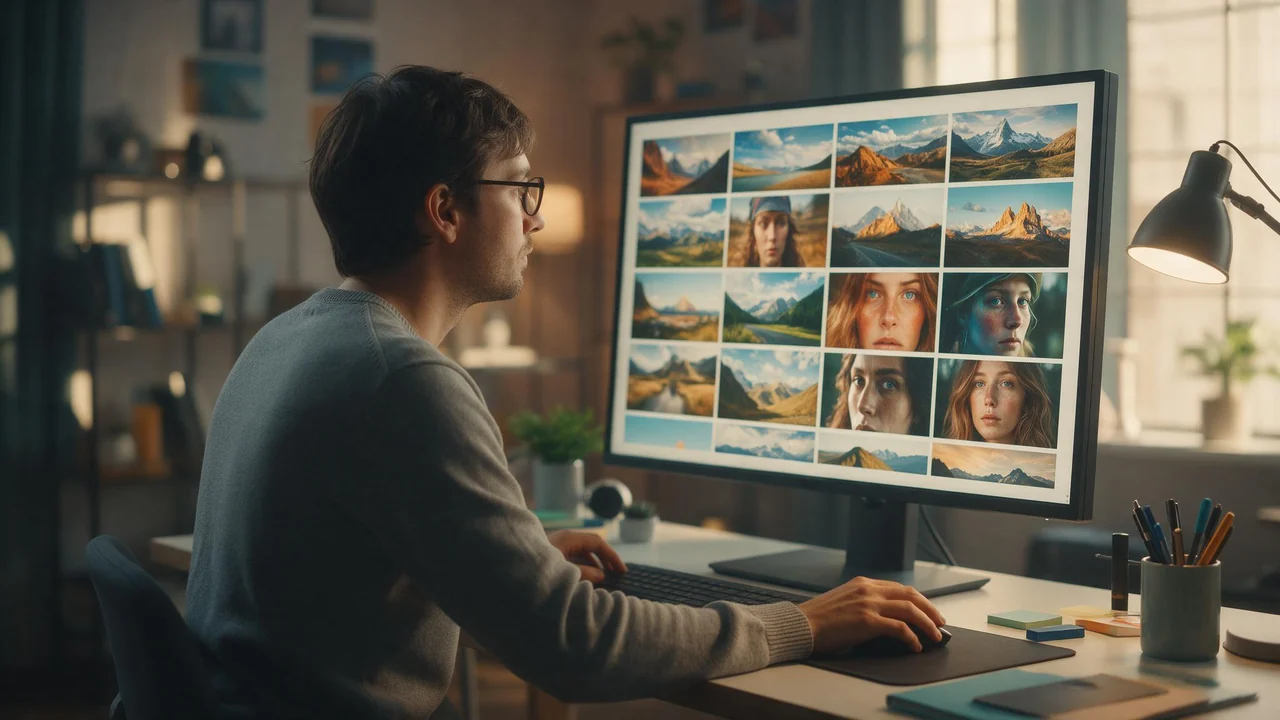
A thumbnail is a poster the size of a postage stamp. It has one job - make someone stop scrolling - and it has to do that next to a dozen other posters trying the same thing. AI images are genuinely good at half of that job: the scene, the mood, the colour, the object that makes the idea obvious. The other half is still yours, and this post is about splitting the work in the right place.
Start with the right shape
A YouTube thumbnail is widescreen, so the first thing to set in the studio is the aspect ratio: 16:9. It is one of 15 the studio accepts (1:1, 2:1, 1:2, 3:1, 1:3, 21:9, 9:21, 3:4, 4:3, 3:2, 2:3, 4:5, 5:4, 16:9, 9:16), and picking it before you generate matters more than it sounds. A square picture cropped to widescreen afterwards loses its top and bottom, which is usually exactly where the face or the headline space was.
One trap: if you leave the ratio on automatic and attach a reference photo, the result follows the shape of that photo. A portrait selfie as a reference gives you a portrait result. Choose 16:9 explicitly every time.
What the picture part is good for
Thumbnails that work tend to have one subject, big simple shapes, strong contrast and a clear empty area where the title will go. Write the prompt for exactly that: name the one thing in the frame, say where it sits ("on the right third"), ask for a plain or blurred background on the other side, and describe the lighting, because lighting is what separates a thumbnail from a stock photo. The prompt guide goes deeper into how the words steer the result.
Where it shines is the variant round. Instead of one precious design, run the same idea three or four ways - a close-up, a wide scene, a different colour of light - and pick the one that still reads when you shrink it on your screen.
The same face on every video
Channels that show a presenter want that presenter to look like themselves on every thumbnail, not like a slightly different cousin each week. That is what reference images are for: attach a photo of yourself (up to 10 per generation) and the model edits from it instead of inventing a new face. Each reference adds 10 coins to the price of the image. The reference images guide explains how the edit path differs from a plain prompt.
A good reference is a clear, well-lit photo of the face, not a group shot. Describe the change in the prompt ("surprised expression, holding a cracked phone, dark studio background") rather than the whole person, since the photo already carries that.
What a round of drafts costs
A Standard image on the default model is 40 coins. At the price per coin of the smallest coin package, that is about EUR 0.24 per draft, and the larger packages bring it down. With one reference photo attached a draft is 50 coins, about EUR 0.30, so a round of 4 variants with your face in them comes to roughly EUR 1.20. The full, current table is on the product page, which reads the same code that charges you.
A thumbnail is looked at small, so Standard quality is usually enough; the difference between the two quality settings is covered in image quality and formats. And a draft that fails on our side costs nothing: the coins come back automatically, as this post on failures explains.
What still needs you
- The title. Lettering inside a generated image is unreliable: letters get swapped, words get invented, and the font is whatever the model felt like. Generate the picture with empty space and put the words on in an image editor.
- Other people's faces.Your own face is yours to use. Anyone else's needs their permission, and a recognisable public figure is a legal question, not a prompt.
- The platform's rules. The studio allows adult content for adults. YouTube thumbnails do not, so keep that output off the channel entirely.
- Owning a look.Results are not exclusive: another user with a similar prompt can get something similar. Your channel's identity comes from your face, your title style and your consistency, not from a single generated picture.
- Timing. A generation is not instant. We measured the real waits in how long a generation takes; do the round before the upload deadline, not during it.
- Keeping the files. Results stay in your gallery for a limited window, listed on the product page, and are then removed. Download the ones you use.
A workflow that holds up
- Write down the video's one idea in five words. That is the thumbnail.
- Set 16:9, Standard quality, and attach your reference photo if the thumbnail has you in it.
- Run the prompt a few times with one change each time: framing, light or colour.
- Shrink the candidates on your screen until they are phone-sized. Keep the one that still reads.
- Download it, open it in your editor, add the title and check the export against YouTube's own upload requirements.
- Save the prompt that worked. A prompt libraryis what turns next week's thumbnail into a five-minute job.
The thumbnails are yours to use on a monetized channel: our terms place no restriction on commercial use, as this post sets out, along with the limits no generator can lift. When you have a video waiting for its poster, open Fellowi Images and start with the shape.
Questions this post answers
Can AI put the video title on the thumbnail for me?
Not reliably. Lettering inside a generated image often comes out misspelled or warped, so generate the picture with empty space for the title and add the words in an image editor, where you control the font and the spelling.
Can I keep the same face across all my channel's thumbnails?
Yes, by attaching a photo of yourself as a reference image, which the model edits from instead of inventing a new face each time. Use your own face or that of someone who agreed to it, and pick 16:9 explicitly, because the automatic shape follows the reference photo.
Can I use these thumbnails on a monetized channel?
Yes. Our terms place no restriction on commercial use and ask for no share and no credit. What they cannot give you is exclusivity or the right to use a real person's likeness, so those remain your responsibility.
Keep reading
What a Team Actually Spends on AI Images: Reading the Bulk Coin Packages
A coin price is not a budget. The unit a team should plan in is the finished asset, and the packages built for teams only pay off once you know your own keeper rate. A method in four steps.
Every Dial in the Studio, and Which Ones Actually Change the Result
Most of the settings do less than you think and two of them do far more. Here is the honest ranking, with what each costs.
NSFW AI Scenes and Settings: Dress the Room Before You Light It
Before the light, the outfit or the pose, there is a room. A set designer's walk through four dressed rooms, the props that earn their place, and the sentence that keeps a setting from drifting.