

AI Wallpaper Generator: Phone and Desktop Wallpapers That Fit the Screen
By The Fellowi Team · · 6 min read
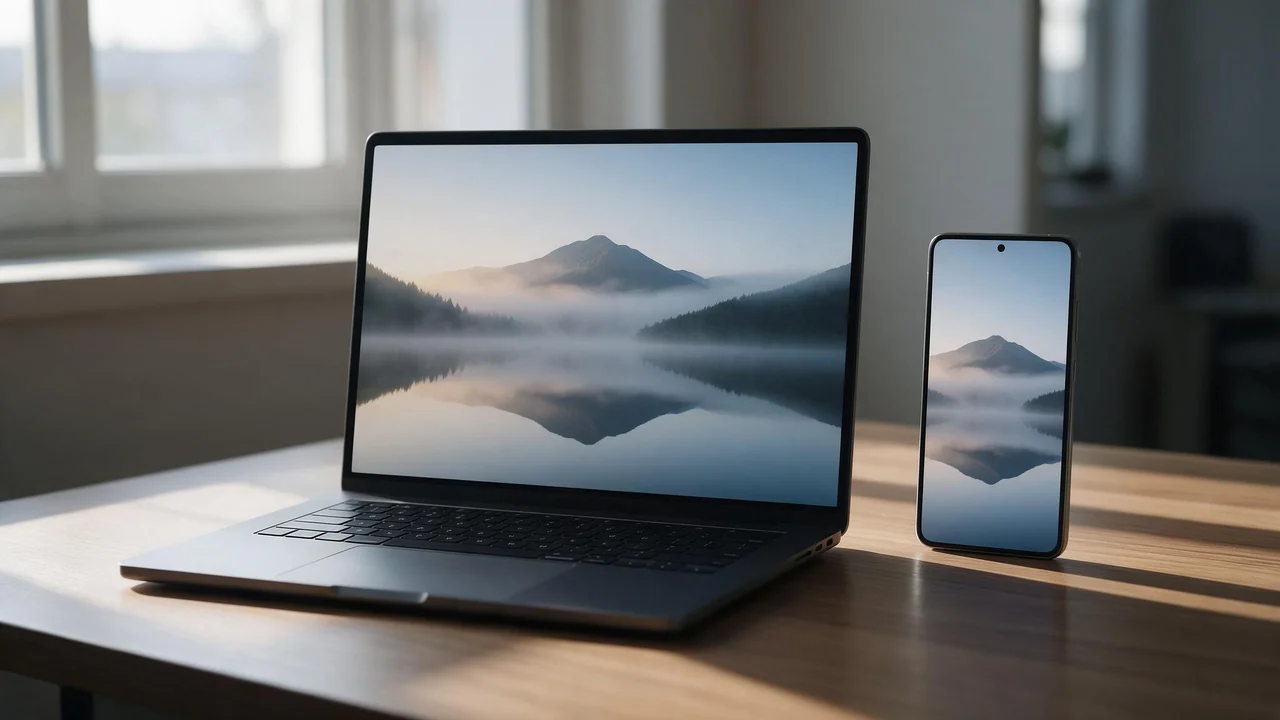
A wallpaper is the picture you look at more than any other, and most of it is covered: by a clock, a row of icons, a taskbar, a dock. So a good wallpaper is not just a good picture. It is a good picture with room left for everything that sits on top of it. This guide goes screen by screen through Fellowi Images: which aspect ratio to pick, where to leave the empty space, and which settings are worth paying for.
First, pick a family that takes a frame
The studio has more than one image family, and they do not take the same settings. The cheapest one renders a single fixed frame with no aspect ratio picker, takes no reference images and saves JPEG only. It is a good place to test an idea for very little, but it cannot make a tall phone picture on purpose. Once an idea works, switch to a family with the aspect ratio picker and render it in the shape of your screen. What each family costs is on the product page.
Phone lock screen: 9:16 or 9:21
Phones are taller than 9:16 these days, so the system trims whatever you give it to fill the screen. 9:16 loses a sliver at the sides; 9:21 is a little taller than most phones and loses a sliver at the top and bottom. Both work. The composition matters more:
- Keep the top third quiet. Sky, a plain wall, a soft gradient. The clock and the date live there.
- Put the subject low. The lower middle or the lower third, not dead centre, where notifications pile up.
- Leave a margin on every edge. Phones crop, and some zoom or shift the wallpaper as you tilt them.
A line that does this in a prompt: “vertical composition, subject in the lower third, empty sky above, plenty of negative space”. More on prompt structure in how to write image prompts.
Phone home screen: calmer than you think
The home screen sits under a grid of icons and widgets. A detailed scene there turns into noise and makes the icon labels hard to read. Ask for broad shapes, soft gradients and an out-of-focus background (“minimalist”, “soft bokeh”, “shallow depth of field”), and keep the contrast moderate so white labels stay legible. If you use dark mode, ask for a low-key, dark picture so the screen does not glare at night. A good pair: the lock screen as the full scene, the home screen as a calmer, blurrier version of it.
Laptop and desktop: 16:9, or 3:2
Most monitors and many laptops are 16:9, and some laptops have a taller 3:2 screen; the picker has both. If your screen is 16:10, which the picker does not offer, take 16:9 and let the system trim a sliver from the sides. Desktop icons usually line up along one edge, and a taskbar or a dock runs along the bottom, so put the subject on the opposite side, roughly on a third, and keep the bottom strip plain. The aspect ratio guide covers the other shapes.
Ultrawide: 21:9
21:9 in the picker matches an ultrawide monitor. Wide frames reward wide subjects: a horizon, a coastline, a city at night, a mountain range. A single figure in the middle of a 21:9 frame looks lost, so if you want one, push it to a side and let the landscape carry the rest. Words that help: “panoramic”, “wide landscape”, “horizon line in the lower third”.
Two monitors
Two honest options:
- One picture across both. Two 16:9 screens side by side make a frame far wider than anything the picker offers; its widest is 3:1, so your system trims a spanned picture at the top and bottom. And the gap between the screens falls in the middle, so never put the subject there.
- Two pictures that belong together. Render the left screen at 16:9, then attach it as a reference for the right one and ask for the same scene continuing to the right. The edges will not line up pixel for pixel, but the palette and the light will match, and on two separate screens that is what the eye notices.
Quality and format
Standard quality is enough for a phone. For a large desktop screen pick High, since the picture will be stretched across more glass. JPEG is small and fine for a wallpaper you just set; PNG is worth it if you plan to crop or edit the picture first. The trade-offs are laid out in the quality and format guide, and the price of each tier is on the product page.
A matching set
Start with the desktop picture, since the wide frame is the harder one to get right. Download it, attach it as a reference image, set 9:16 and ask for “the same scene, same colours, vertical, calmer, more empty sky”. The reference carries the palette and the mood into the new frame; each one attached adds to the cost, as the product page shows. The full routine is in the reference images guide.
What it cannot do
- Fit every screen exactly. There is no 16:10 and no 32:9 in the picker, and even High quality is not a native 4K frame. Your system crops or scales, and on a big monitor fine detail shows it.
- Write your quote. Letters inside a generated picture often come out misspelled or warped. For a wallpaper with words, generate the picture with empty space and add the text in a photo editor afterwards.
- Make it yours alone. Our terms allow commercial use, so you may sell a wallpaper pack, but there is no exclusivity: someone with a similar prompt may get a very similar picture.
- Keep it forever. Generated files are deleted after a retention period, so download the ones you use.
And one rule of manners. The studio can make character art for a legal-age audience, but a lock screen lights up on a train, in a meeting, on a table in front of colleagues. Keep that kind of picture on a screen only you see, and never on a work laptop.
Questions this post answers
Which aspect ratio should I use for a phone wallpaper?
9:16 suits most phones, and 9:21 suits a very tall one; either way the phone trims a little to fill the screen. Keep the top third of the picture empty, because the clock sits there.
Is an AI wallpaper sharp enough for a 4K monitor?
Not natively: even High quality renders below a 4K frame, so the system scales the picture up. Calm pictures with soft shapes survive that well, while fine detail like leaves or text shows it.
Can I make matching wallpapers for my phone and my desktop?
Yes. Make one, attach it as a reference image and ask for the other frame; the palette and the light carry over. The exact composition does not, so expect a few tries.
Keep reading
How to Write NSFW AI Image Prompts That Actually Render
Name what should be in frame, never what should not. Six rewrites, and the one habit that makes a generator produce the exact thing you were trying to avoid.
NSFW AI Art Styles: A Guided Tour from Photoreal to Pin-Up
Five looks for adult AI images, the vocabulary that moves a model toward each, one suggestive example prompt apiece, and how to keep a whole set in one style.
You Do Not Need a Graphics Card: AI Images in a Browser vs a Local Install
A laptop, a browser tab and a handful of coins. What you gain by not installing anything, and what you give up.