

AI Interior Design From a Photo of Your Room: Try It Before You Paint
By The Fellowi Team · · 6 min read
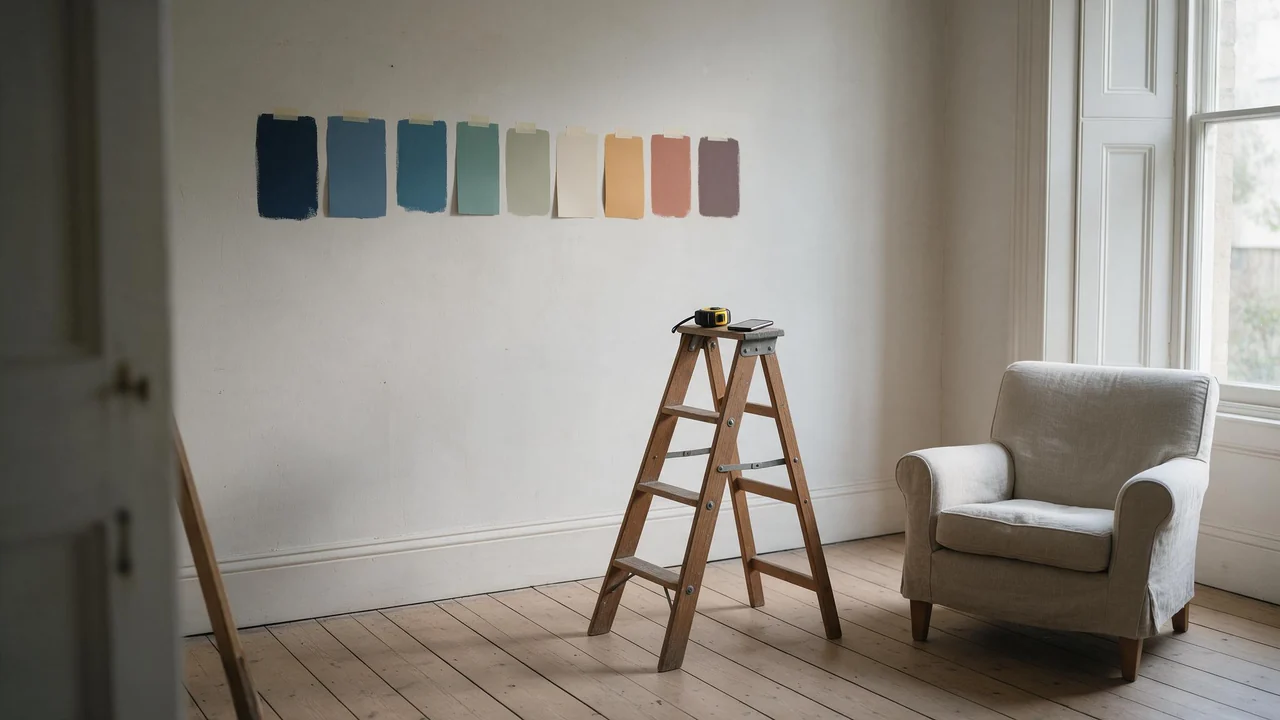
Paint swatches on a wall tell you very little. A two-centimetre square of green under a ceiling light does not show you what a whole wall of it does to a room at six in the evening. That is the one thing an image generator is genuinely good at here: taking a photo of the room you actually live in and showing you a dozen versions of it before you open a single tin. This is how to do that in Fellowi Images, and where to stop trusting the picture.
1. Take the photo the model can read
The photo you start from decides most of the result, so take it with a little care:
- Daylight, lights off. Mixed light (a window plus a yellow bulb) gives the model two colour temperatures to argue about. One even source is easier.
- From a corner, at chest height. Two walls and a bit of floor show the shape of the room far better than one flat wall.
- Hold the phone level. Tilted verticals come back as tilted walls.
- Clear the clutter you do not want redrawn.A pile of laundry on the chair will be “interpreted”, usually into something odd.
- No people in the frame. Our terms only allow an upload of you, or of someone who has given you permission. A room photo has no reason to include anyone.
2. Upload it as a reference, and leave the frame on Auto
In the studio, pick a model that takes reference images, then use Upload your own under Reference images. A generation with a reference runs on the editing model, which starts from your photo instead of from nothing. Leave the aspect ratio on Auto: the frame then follows your photo, so the room keeps its proportions. The cheapest image family does not take references at all, and each reference adds to the price; both are on the product page. The general routine is in the reference images guide.
3. Change one thing per picture
The temptation is to write the whole dream in one prompt: new colour, new sofa, new floor, new lamp. The model will try, and you will not be able to tell which change you like. Ask for one thing at a time and keep the rest pinned:
- “The same room from the same angle. Paint the walls a muted sage green, matte finish. Keep the furniture, the floor and the window exactly as they are.”
- “The same room. Replace the armchair with a low sofa in rust-coloured velvet. Keep the walls white.”
- “The same room in the evening, lit by two warm table lamps and no ceiling light.”
The phrase “keep ... exactly as they are” does real work: an editing model changes what you ask about and tends to leave alone what you name as fixed. Tends to, not always, which is why one change per picture makes the drift easy to spot.
4. Name materials, not adjectives
“Cosy” and “modern” mean a hundred different rooms. Materials and finishes mean one: oak floorboards, limewash on the walls, a jute rug, brushed brass, linen curtains, a terrazzo side table. The same is true of light: “soft north-facing daylight” or “warm lamp light, 2700K” describes a room you can picture. If your own wording comes out flat, the Enhance prompt quality switch rewrites it into a fuller description for a small extra charge; when that rewrite helps is its own question.
5. Add a second reference for the feeling
If you have a picture of a room you love (a hotel, a magazine page, a photo from a friend's flat), attach it as a second reference after your own photo and say what to take from it: “the colours and the lighting of the second image, applied to the room in the first”. Order matters: the first reference is the one the frame follows, so your room goes first. Only upload a picture you have the right to use.
6. Compare them side by side
Download the versions you like and put them next to the original. Three greens at once tell you more than three greens on three different days. It is also the moment to look at the boring parts: is the window still where it was, did the door move, is the radiator still under the window. If not, that version is showing you a different room.
Where to stop trusting the picture
- It does not measure anything. The model has no idea how wide your wall is. A sofa that fits beautifully in the picture may not fit through your door.
- It invents the furniture. Nothing in the picture comes from a shop, so there is no product to buy. Use it for shape, colour and material, then go looking.
- Screen colour is not paint. The green in the picture depends on the light the model drew and on your screen. Choose a direction from the image and test a real sample on the wall.
- It can quietly redraw the room. Windows shift, a doorway narrows, a corner gets a little deeper. Every edit is a new picture, not a precise overlay.
- It is not a plan.No floor plan, no structural advice, nothing about wiring or what is safe to remove. That is still an architect's or a builder's job.
Two housekeeping notes from our terms. Your uploaded photo is sent to the third-party provider that renders the picture, so leave anything private out of the frame: documents on the desk, family photos on the shelf, the view that shows exactly where you live. And generated files are deleted after a retention period, so download the versions you want to keep. If you are curious how this compares with other everyday uses, the list of what people actually use AI images for is a good next read.
Questions this post answers
Can an AI image generator redesign my actual room from a photo?
It can repaint, refurnish and relight a picture of it. Upload your photo as a reference image and describe the change; the result keeps the general layout, but walls, windows and furniture can shift, so treat it as a mood board.
Will the paint colour in the picture match the real paint?
Not exactly. A colour on a screen depends on the light in the picture and on your display, so use the image to choose a direction, then test a real sample on the wall in your own daylight.
Does it tell me where to buy the furniture it shows?
No. The furniture is invented by the model, not taken from a shop, so there is nothing to order. Use it to decide on a shape and a material, then look for a real piece that matches.
Keep reading
Draft Cheap, Finish Once: Spending Fewer Coins on AI Images and Video
The picture you keep is rarely the expensive part. The six before it are. Here is the order to turn the paid switches on, and the ones you can leave off entirely.

NSFW AI Art Styles: A Guided Tour from Photoreal to Pin-Up
Five looks for adult AI images, the vocabulary that moves a model toward each, one suggestive example prompt apiece, and how to keep a whole set in one style.
Same Face Every Time: Keeping an 18+ AI Character Consistent
A written description is not an identity. A reference image is. What that changes about how you write the rest of the prompt.