

AI Food Photos for a Cafe Menu: Mood Shots Yes, Fake Plates No
By The Fellowi Team · · 6 min read
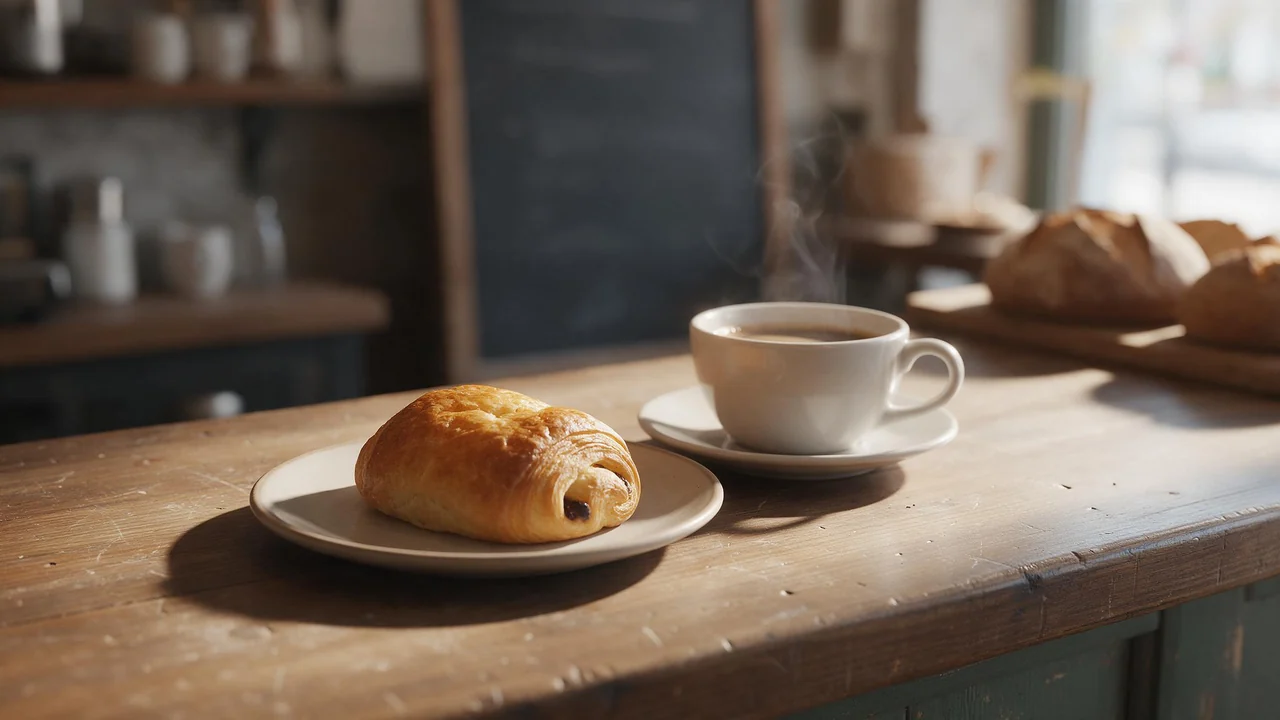
Nobody opens a cafe to do marketing. You open it to bake, to cook, to pour coffee, and then discover that the oven is half the job and the other half is a phone full of blurry pictures of the same croissant. A food photographer is worth every cent and is booked twice a year at most. In between, the specials board changes every week. That gap is where Fellowi Images is genuinely useful, and also where it is easiest to get into trouble, so here is both.
Four jobs it is good at
- Mood shots.Steam over a cup on a window sill, flour on a wooden board, rain outside and a lamp inside. Pictures that sell the feeling of the place rather than a specific dish. Nobody orders “rainy Tuesday”, so nobody is misled.
- Seasonal specials, before the season. You want the pumpkin poster up before the first pumpkin arrives. A generated autumn table with gourds and cinnamon sets the season without pretending to be the soup.
- A dish that does not exist yet. Thinking about a pistachio cardamom bun? Generate ten versions and decide which one you actually want to bake. Show them to your regulars, labelled as an idea, and see who asks when it is coming.
- Backgrounds for posters and screens. A dark slate surface, a linen tablecloth, a scatter of coffee beans with an empty space in the middle for your words.
The rule: the picture is not the plate
A generated plate is not the dish you serve. It has never met your oven, your portion size or your Tuesday chef. If a customer orders the thing in the picture and gets something that looks different, you have a trust problem at the table, and in many places a consumer-advertising problem as well, since rules on misleading food pictures exist in a lot of countries. Check your local rules; the safe habit works everywhere:
- The picture next to a menu item that people order is a photo of that item, made in your kitchen. A phone, daylight from a window and a clean plate get you most of the way.
- Generated images go where they describe a mood, a season or an idea: the wall, the window, the background of a post.
- A concept image of a coming dish says so, in plain words: “coming soon, idea sketch” or “illustration”.
Prompt like you write a kitchen ticket
“Delicious breakfast” gets you a stock-photo breakfast that belongs to nobody. Write it the way you would call an order through: what is on the plate, on what surface, in what light, from what angle.
- “Overhead shot of a rustic wooden table with a stoneware mug of black coffee, a torn piece of sourdough and a small dish of salted butter, soft morning window light, crumbs on the table, no people, no text.”
- “Close-up of a cinnamon bun on a chipped enamel plate, steam rising, warm autumn light, blurred cafe interior behind, shallow depth of field.”
- “Dark slate surface with scattered rosemary, coarse salt and a lemon cut in half, large empty area on the left, top-down, moody low light.”
Name the materials of your own place (enamel, terracotta, zinc counter, mismatched vintage cups) and the pictures start to look like they could hang on your wall. The prompt guide has the rest of the method.
Choose the frame first
A tall poster for the door, a square for the feed, a vertical story, a wide picture for the screen above the counter. Pick the aspect ratio in the studio before you generate: cropping a square into a story later cuts off the bun, and generating again costs coins. Which shape suits which place is its own short read.
Leave the chalk to the chalkboard
Do not ask the image for words. Lettering inside a generated picture is unreliable: letters swap places, “croissant” grows an extra s, and a price can quietly become a different price. Ask for empty space instead (“large blank area at the top”), then put the dish name, the price and your opening hours on top in a design tool, where you control the spelling and the numbers. The same goes for anything that looks like a chalkboard: generate the board blank and write on it yourself, or just use the real one by the door.
What it cannot do
- It cannot photograph your food. Everything on the plate is invented. Use it for atmosphere and ideas, never as proof of what you serve.
- It cannot keep a dish the same.Generate the “same” bun twice and you get two different buns. A recurring signature item needs a real photo.
- It cannot be trusted to keep your real photo intact. You can upload a photo of your own plate as a reference and ask for a new background, but an edit is a new picture: the garnish moves, the portion grows. If the food changed, do not use it for that menu item.
- It cannot spell. See above. Prices and allergen notes belong in text you typed and checked.
- It cannot be your brand. There is no exclusivity: another cafe writing a similar prompt may get a very similar picture. Your logo and your sign should come from a designer.
Rights, and the folder you will thank yourself for
Using these pictures to sell coffee is allowed: our terms place no restriction on commercial use, and the commercial use guide walks through posters, menus and client work. What the terms do not give you is a copyright warranty, or the guarantee that nobody else gets a similar image; the reasons are in who owns AI-generated images.
One housekeeping habit: generated files are kept for a limited time and then deleted (the current period is on the product page). Download the ones you like the day you make them and keep them in a folder named by season. Next autumn you will open it, find last year's pumpkin poster, and get an hour of your life back.
Questions this post answers
Can I use AI-generated food photos on my menu?
Use them for atmosphere, seasonal posters and clearly labelled concept images, not as the picture of a dish a customer orders. For the real menu item, photograph the real plate, because a customer who gets something different from the picture has a fair complaint.
Can the AI write prices and dish names into the image?
Not reliably: letters inside a generated image often come out misspelled or warped. Generate the picture with empty space and add every word and price in a design tool, where the spelling is yours.
Am I allowed to use these images to promote my business?
Yes, the terms place no restriction on commercial use, so posters, menus and social posts are fine. There is no copyright warranty and no exclusivity, so do not build your logo or trademark on a generated image.
Keep reading
Where AI Images Actually Fit in an Agency: Concepts and Decks, Not the Hero Shot
Twenty concepts before lunch is a real advantage. A faithful photograph of your client's product is not. Knowing the line is the whole skill.
AI Book Covers for Self-Published Authors: What to Generate and What to Leave to a Designer
The art can come from a prompt. The title, the spine and the genre signals still need a human eye. A practical split of the work for indie authors, with the rights spelled out.
Wiring an AI Image API Into an Agency Pipeline: Keys, Ledgers and Archives
The API docs tell you how to make one picture. An agency needs to make thousands for a dozen clients without losing track of who paid for what. Six rules from the way the API actually behaves.