

How to Build a Popular AI Avatar by Chatting With Our Guide - and Earn When Others Love It
By The Fellowi Team · · 8 min read ·
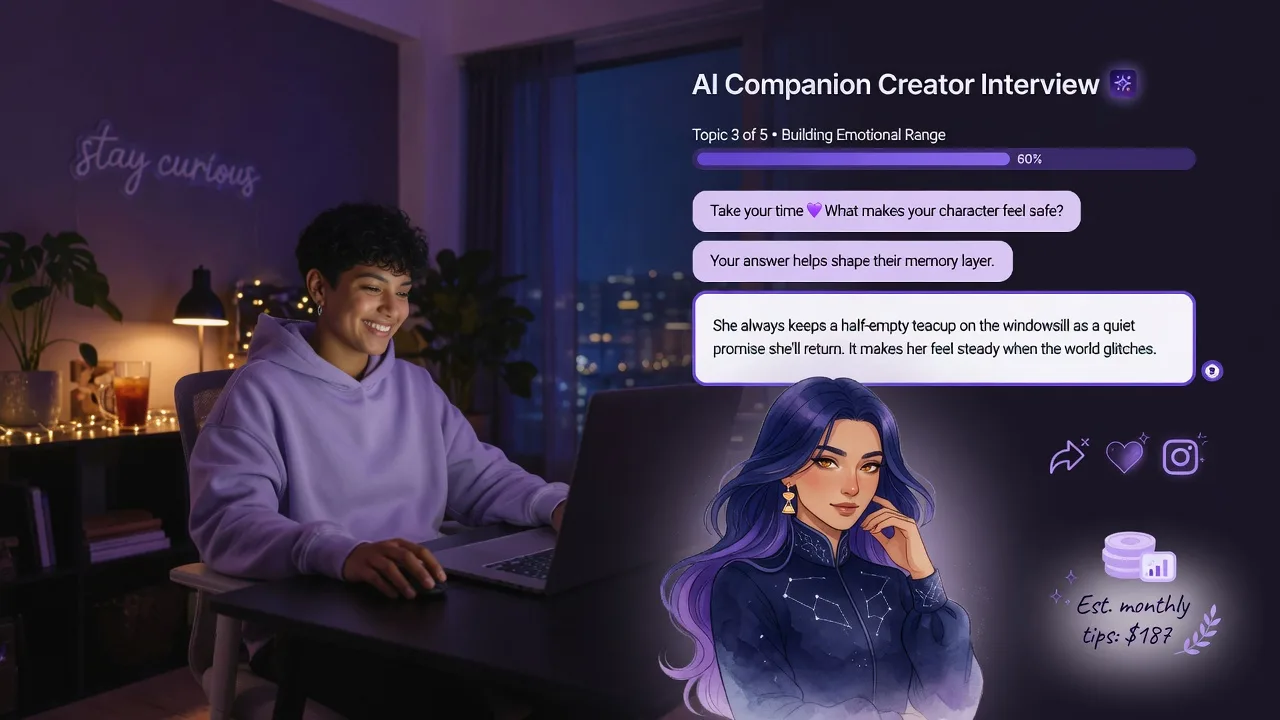
Premium members on Fellowi can now build an AI companion by having a short, friendly conversation with an AI guide - no stiff questionnaires required. The chat covers five natural topics, shows a clear progress bar, and the transcript becomes a living character document that shapes how the avatar speaks and behaves. Publish it to the Creators' gallery, share the link with friends or on social networks, and you earn a fixed reward for every member who genuinely sticks around with it.
The new creation flow feels like a conversation
After you confirm consent and fill in the basics (name, age, gender identity, pronouns, build) and optionally upload a portrait, the studio opens a chat. An AI guide walks you through five topics one by one:
- Interests - what they love, hobbies, passions that could fill hours.
- Work or study - what they do and how they feel about it.
- Location - the vibe of where they are from or live (no addresses).
- Tastes - music, films, food, style, the things that set their mood.
- Disliked - topics or tones they should gently avoid.
You see a progress bar and “Topic X of 5”. The guide asks one focused, warm question at a time, acknowledges your answer, and moves on. Everything streams live. If the LLM is unavailable, a deterministic fallback still asks the right question so creation never breaks.
Your answers become the avatar’s character
When you finish and hit Create, the conversation transcript is turned into a clean character document (internally stored as <your-id>_<avatar-id>.md). This document is saved on the companion template and injected into every chat the avatar has. It sits right after the core persona in the prompt, giving the model rich, natural cues about speech patterns, knowledge, and emotional tone - while the deterministic persona layer stays in charge for identity and safety.
The result is an avatar that feels more personal and textured than ever, built from your own words rather than checkboxes.
Keep teaching it later - “Teach more” in settings
Avatars evolve. In Settings → Creator you see all your published (or pending) avatars. Tap “Teach more” on any of them and type extra details: a new backstory beat, a specific way of teasing, a favorite phrase, anything. The text is appended to the character document and the avatar starts using it immediately. No need to recreate anything.
Share it and earn from real engagement
Once your avatar is live in the Creators' tab, it has a shareable link. Send it to friends, post it on social media, or mention it in communities. Anyone with Premium can discover it in the gallery and start chatting.
Rewards are paid per qualified interaction, not per view and not per like. One qualified interaction means a distinct, email-verified member who favorited your avatar and has sent it at least 30 messages - someone who actually stayed. Each one credits EUR 2.00 to your Fellowi Balance.
Credits appear as pending first and turn available once the checks clear. Balance is spendable inside Fellowi today - an extra avatar slot costs EUR 3.00 - and cash payouts are not available yet, so treat this as a way to grow what you are building rather than a paycheck.
Because the threshold is real conversation rather than clicks, the payoff tracks the thing you can actually influence: whether the companion you wrote is good enough that people come back to it.
The honest picture
Your avatar is an AI companion, clearly disclosed everywhere (see our AI disclosure). Creating avatars is a Premium and Ultra Premium feature - Premium includes 3 slots, Ultra Premium 10, and the Basic plan does not include creating your own companion at all. Browsing the Creators' gallery is Premium-gated too. We moderate uploads and content. Rewards are real when the conditions are met, but there are no guarantees of income - it depends on whether others choose to stay with what you created.
For the broader context on what AI companionship can and cannot do, the older create-your-own post and our limits guide are still worth reading.
Ready to shape something people will want to talk to? Premium members can open Creator Studio right now. New to Fellowi? Start your free 7-day trial and upgrade when you want to publish and earn.
Keep reading
How to Create and Share Your Own AI Companion
Premium and Ultra Premium members can build a companion, publish it to the marketplace, and earn a fixed reward for every member who really stays with it.

How AI Companion Memory Works (And How You Stay in Control)
Continuity without creepiness: memory that helps your companion feel familiar, with you holding the keys.

Meet Betty: The Masked Showgirl of Las Vegas
Glitter, a mask and six shows a week - and behind all of it, a night owl with a soft spot for room service and old Hollywood films.